









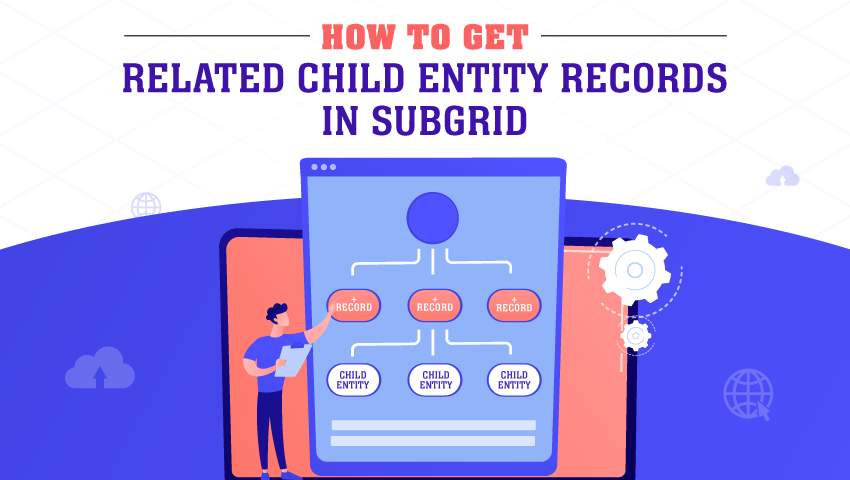

To see a child entity’s record in the subgrid of the parent entity record. The user must add SubGrid control for the child Entity in the parent entity’s form.
For example, consider the Parent entity as “Project” and the child entity as “Cashflow.”
To see related child entity’s (Cashflow) records in the subgrid, the user needs to add a subgrid in the form of that entity (Project).
Follow the given steps to add a subgrid of child entities.
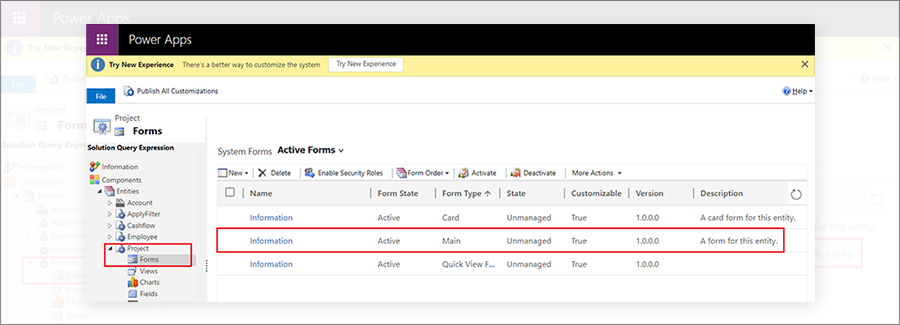
Step 1: Open Project Entity. Click on Forms and Select the form you want to see the subgrid. Here we select the Main form.
Step 2: Now select the Area where you want to Add a SubGrid and Go to Insert Tab → Control → Select Sub-Grid.
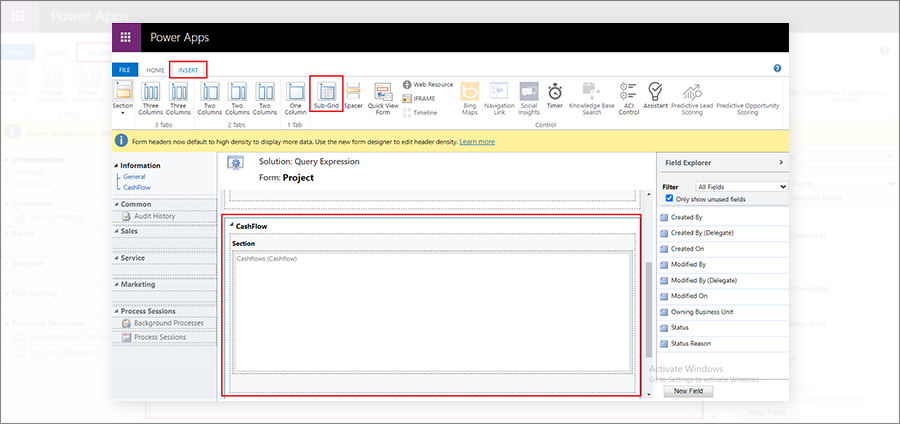
Step 3: Give the Proper Name to the Area and double-click on Subgrid.
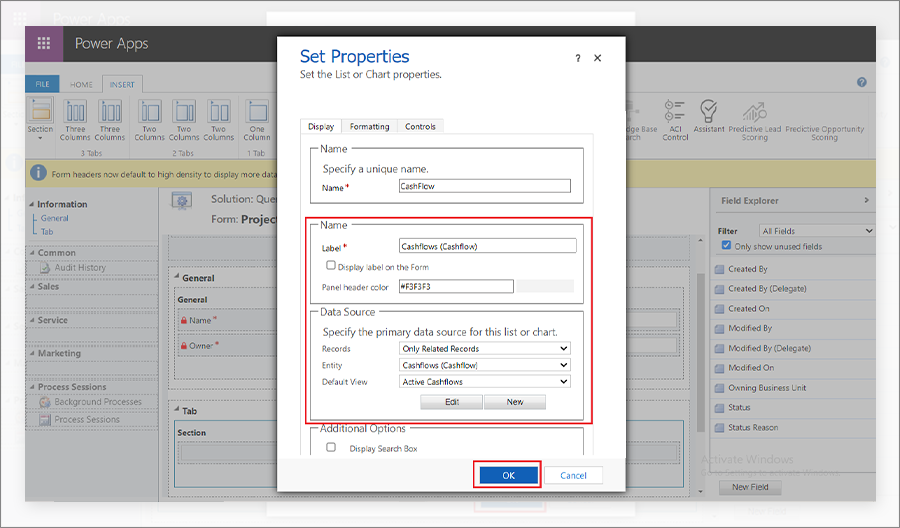
Step 4: Double-clicking on SubGrid will open the Set Properties Dialog box. Fill required details (Name, Label, etc.), and in the Data Source section, Select Record = Only Related Data, Entity = Cashflow, and Default View = Active View.
Select Record = Only Related Data means it only shows Cashflow related to the Current open Project.
Then click Ok.
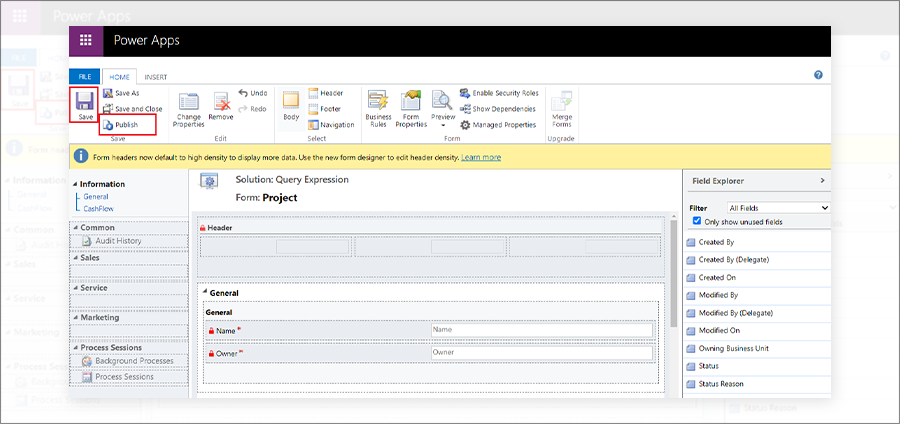
Step 5: Click on Save and Publish.
Step 6: Now redirect to the Project Entity. Open any of the records of the project entity, it will show a subgrid that shows all the related cash flows for that record.
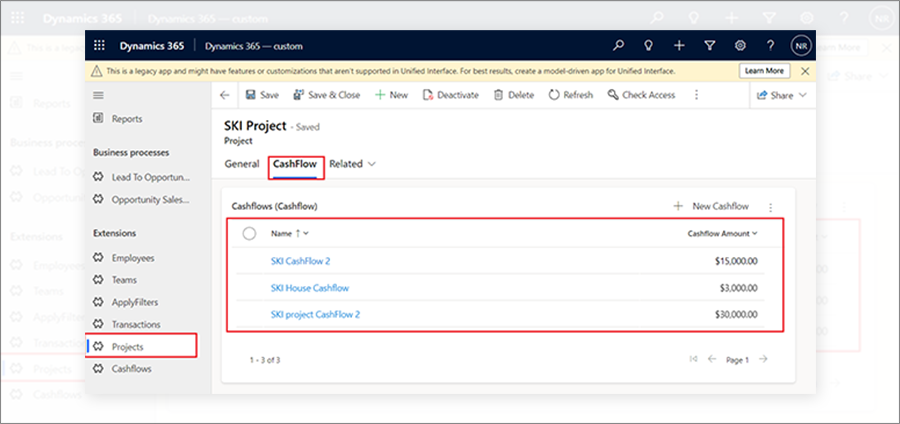
This is how users can add subgrids of child entities in parent entity records.
All product and company names are trademarks™, registered® or copyright© trademarks of their respective holders. Use of them does not imply any affiliation with or endorsement by them.