









Your customers aren’t sitting at a desk waiting to interact with your business—they’re on the move, switching between devices, expecting the same quality experience everywhere. Today, mobile devices have made everything accessible within a matter of hours, if not minutes. They expect the same from the leading CRMs like Dynamics 365.
A portal that falter on smaller screens turns potential self-service wins into frustration. Here’s the thing: a portal that works beautifully on desktop but breaks on mobile isn’t a portal. It’s half a solution. Customers notice and abandon it fast.
In recent years, the cross-device sync platform market has grown rapidly; the market size in 2025 was $9.62 billion, and it is expected to continue this upward trend at a compound annual growth rate of 16.3% (source). This means your Dynamics 365 customer portal needs to deliver across both worlds: desktop for deep dives, mobile for quick hits. And you can implement this without rebuilding everything from scratch.
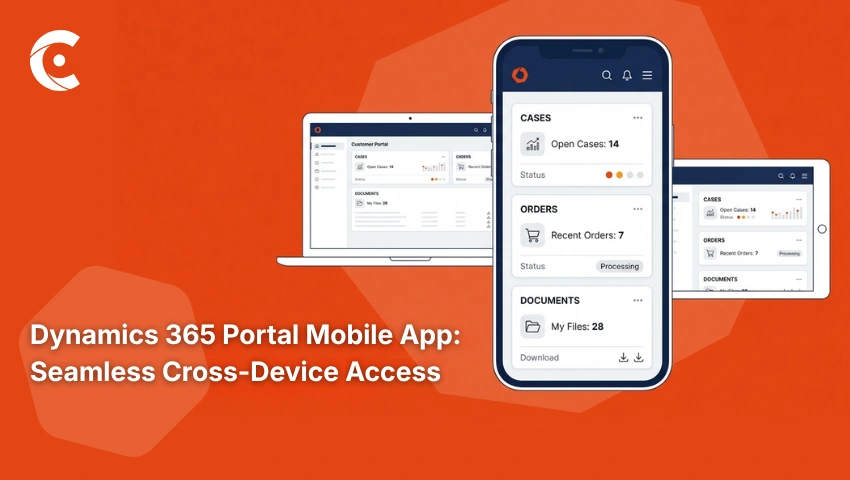
A well-built Dynamics 365 portal mobile app handles real-time data sync and role-based access the same way, no matter the screen. CRMJetty’s solution is built with exactly that in mind, extending Dynamics 365 so that external users can access cases, invoices, and knowledge content consistently wherever they are.
Why Device Flexibility Matters More Than Ever for Customer Portals
The majority of B2B interactions now span multiple devices—desktop at the office and mobile on the go. Customers don’t want to wait until they’re at a computer to check an order status, view a case update, or download a document.
And that’s the problem when portals lag. A poor mobile experience leads straight to abandonment. Customers revert to calling or emailing instead of self-serving. On the other hand, businesses offering a seamless cross-device setup see higher portal adoption rates. Stronger relationships follow because convenience builds loyalty.
With CRMJetty’s portal solution, you can implement the Dynamics 365 portal mobile app functionality that matches desktop power. Real-time data from Dynamics 365 flows instantly, while the role controls keep sensitive info gated. Your customers stay engaged, support load drops, and field access keeps everyone productive without desk returns.
The Problem With Portals That Are Not Built for Mobile
Broken layouts hit first. Portal content overflows on phones—buttons too small to tap, navigation buried in menus that don’t adapt. Scroll forever to find a case update. Tap misses every time. Slow load times compound it. Desktop-heavy portals crawl on mobile connections. Users needing quick access bail after 3 seconds. Frustration sets in.
Missing functionality is another common issue. Desktop shows full subgrids and forms. Mobile hides them or strips them down. Customers switching devices face gaps—data visible here, gone there. This experience inconsistency kills trust. Different layouts mid-session mean navigation shifts and data views change. That invoice detail on the desktop? Inaccessible on mobile.
This leads to low adoption rates. Mobile users try once, never return. Increased support load piles on—calls and emails spike when the mobile customer portal in Dynamics 365 fails. Self-service defeats itself. You end up managing more tickets because the portal can’t handle real life.
Portals ignoring mobile aren’t future-proof. They force workflows back to desks. Customers notice the half-measure. And in fast-paced ops, that costs time and trust you can’t afford to lose.
What a Consistent Cross-Device Experience Means for Your Business
Higher portal adoption starts first. When the portal works well on all devices, more customers use it consistently, with no device friction. They check in from phones during commutes and desktops for reports later.
Reduced support load hits next. Customers self-serve from any device instead of calling when away from desks. Case submissions, invoice views, knowledge lookups, etc., get handled independently. Next comes faster response times. Mobile access means they act on updates immediately—approvals signed on-site, notifications addressed before they pile up. No delays waiting for office time.
Stronger relationships build naturally. A seamless cross-device experience signals you value their time. Convenience turns one-off interactions into repeat engagement. Better data flows into Dynamics 365. More portal activity means richer customer insights—usage patterns, preferences, and pain points captured in real time— and sharper business decisions follow.
Competitive edge seals it. Businesses still pushing desktop-only solutions look dated. Your Dynamics 365 portal mobile app stands out, drawing users who expect modern access. A responsive customer portal in Dynamics 365 setup, like this, positions you ahead, without overhauling Dynamics.
Who Benefits Most from a Cross-Device Dynamics 365 Portal
Dynamics 365 portal access shines for B2B customers with field teams. Sales reps, field engineers, and account managers hit client sites needing quick checks. Order status mid-presentation, case submission on the road, documents pulled without office returns. Mobile keeps them moving, no laptop lugging required.
Fast-moving industries leverage it the most. Manufacturing tracks parts in real time from shop floors, logistics pulls shipment visibility during routes, and distribution verifies deliveries, phone in hand. A Dynamics 365 portal mobile app delivers that control anywhere, syncing live Dynamics data so decisions happen fast.
Global or remote bases gain even more. Customers across time zones grab whatever device works—phone in transit, desktop at hotel desks. Consistent experience levels the field. No location-based gaps. Role-based knowledge hubs surface the right content, whether viewing invoices in Asia or cases in Europe.
Onboarding flows guide new users seamlessly. Support case tracking works identical across screens. Invoice management stays accessible. Field mapping pulls exact Dynamics fields needed—no data loss on mobile.
Picture ops in construction. Teams check vendor catalogs on-site, submit RFQs from trucks. Or healthcare distributors verifying compliance docs mid-delivery. The Dynamics 365 portal becomes their constant, not a desk-bound tool. Adoption climbs because it fits their reality.
Logistics ops thrive too. Drivers confirm loads via phone scans. Managers approve from tablets. No reverting to email chains. Real-time sync ensures everyone’s on the same page—literally. Remote-heavy businesses? Manage distributed sales networks. Reps access partner performance metrics from airports. Consistent navigation means no learning curve per device. That’s productivity without borders.
And for scaling ops, it compounds. As customer bases grow globally, a responsive customer portal in Dynamics 365 holds steady. Everyone gets the same self-service power—knowledge search, ticket status, and account data. No one’s left waiting for “proper” access.
Reduce Support, Boost Adoption
A Dynamics 365 customer portal that only works on desktops serves half your customers’ needs. They live across devices—demanding the same access everywhere. CRMJetty’s Dynamics 365 customer portal delivers a consistent, fully functional experience across desktop and mobile. Real-time sync. Role controls. Knowledge hubs. All intact.
Customers review reports at desks or check cases between meetings—the portal responds the same every time. Dynamics 365 portal mobile app makes self-service universal. See how CRMJetty’s Dynamics 365 customer portal handles every device your customers use.