







The reality of B2B buying and account management is shifting drastically, and one such shift is in customer behavior. They want a streamlined system, where they log in, browse a little, and find what they are looking for; if not, they quickly raise a ticket or move on to the next option.
In fact, about 96% of customers say they trust a brand more when doing business with them is easier (source). And CRMs like Business Central are facilitating this shift by making data accessible. So, all the useful things, including orders, invoices, and cases becomes visible and manageable for your team.
But the problem is, internal data accessibility doesn’t resolve challenges on the customer’s side. They log in, navigate the confusing system to find the information they seek, and leave if they don’t find it. This is a limitation that can be addressed by investing in the knowledge hub for Business Central.
What Is a Knowledge Hub Within a Customer Portal?
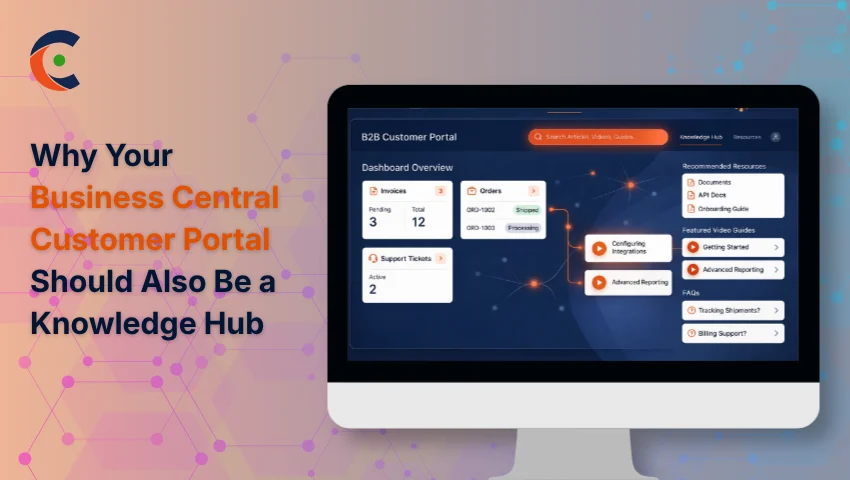
Think of it as a content layer that sits inside the portal. It makes FAQs, onboarding guides, policy documents, and product walkthroughs accessible from the same interface that customers use to check their order status or review an invoice.
That matters more than it sounds. A separate help center somewhere else on your website might have all the right answers, but customers aren’t there — they’re in the portal. Making them leave to find information is a friction point that most businesses don’t notice because it doesn’t show up as a complaint. It shows up as a support ticket or as silence.
A Knowledge Hub for Business Central keeps the full experience in one place. Live ERP data — purchase history, open cases, payment status — alongside documentation that helps customers actually understand and act on what they’re seeing.
These two things, working together, create a unified portal experience. A well-configured Customer Portal for Microsoft Dynamics 365 Business Central makes that possible without forcing you to manage two separate environments.
How a Knowledge Hub Transforms Your Business Central Portal
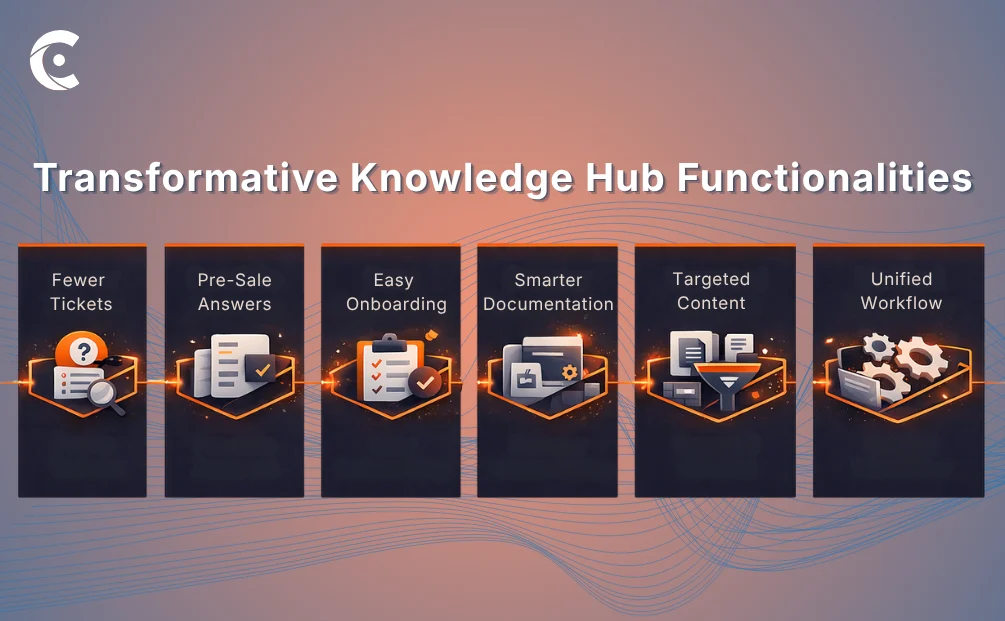
Challenges generally get overlooked in the chaos, but with a knowledge hub, the process slowly gets streamlined into one connected workflow. The results become clear in multiple stages across the process.
An unfamiliar charge, a confusing status update, a return they’re not sure how to initiate, become ticket-generating moments if there’s no answer nearby. When your portal can implement a searchable FAQ or a quick guide on what “pending approval” actually means, a chunk of that ticket volume just disappears. Because customers get answers by themselves. Pre-sale friction is another area that a data-only portal completely ignores. Not every account logging in is a committed customer; some are evaluating whether to expand. Capability documents, comparison resources, and feature breakdowns within the portal give those accounts what they need to move forward without having to speak with your sales team for every question.
New customers require extra focus because the first few weeks after onboarding are when confusion peaks and patience runs thin. If your portal can implement a proper getting-started section via setup checklists or walkthrough videos, those early frustrations drop noticeably. Customers who understand how to navigate through the process feel more comfortable than those who were left to figure it out.
Product documentation reduces misuse. Returns, complaints, and improper configurations often trace back to customers not being given the right usage information at the right time. When documentation lives inside the portal, next to the products they’ve actually ordered, the likelihood of them seeing it goes up significantly.
Role-based content delivery ties this all together. A Knowledge Hub for Business Central that surfaces different content to different customer segments means a distributor sees what’s relevant to bulk ordering and logistics, while an end customer sees product-use guides. Relevance is what makes knowledge content worth having.
A List of Key Knowledge Content Types to Include in Your Portal
Getting the content mix right matters as much as building the hub itself. Here’s what typically covers the bulk of customer questions:
FAQs on billing, returns, and shipping. High volume, predictable questions. A well-structured FAQ section handles more inbound support than most businesses expect, particularly around payment terms and invoice discrepancies.
Order and invoice explanation guides. Business Central outputs can get complicated for customers. Simple guides that explain what each section means and what a customer can actually do reduce a lot of back-and-forth.
Product usage documentation. They are not one-time-read assets. Customers come back to usage content repeatedly, especially for complex products or services. It needs to be easily accessible.
Onboarding and getting-started content. A portal full of options can quickly get overwhelming. This is why first-time users need step-by-step resources and introductory guides to substantially reduce early-stage confusion.
Video walkthroughs. Some things are genuinely easier to show. By implementing short video content alongside written guides, your portal lets customers choose how they learn — and that choice matters.
Policy documents. These shouldn’t be just emailed or on a webpage, but in the portal as well, versioned and searchable. When a dispute comes up, you both need access to the same document.
Role-Based Access: Not Every Customer Needs the Same Knowledge
Relevant content is useful. Irrelevant content is noise. And in some cases, the wrong content in front of the wrong account is a real business risk.
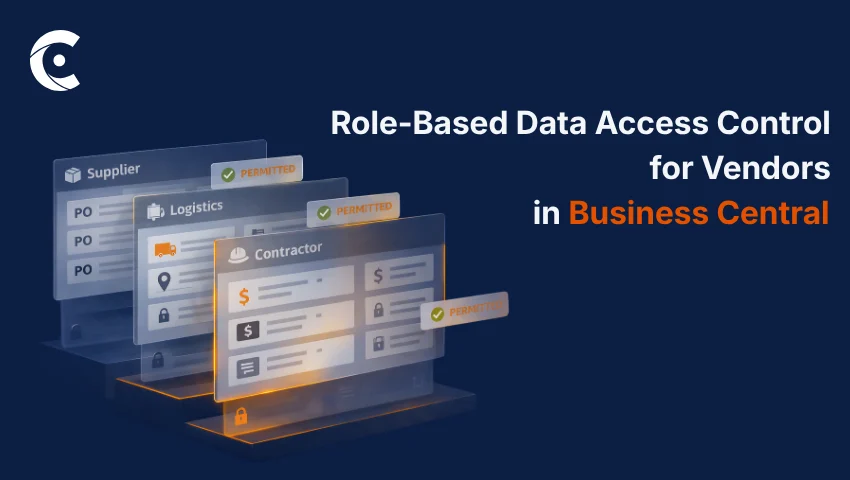
Role-based access lets you structure your Knowledge Hub for Business Central around who’s actually reading it. A distributor managing bulk procurement doesn’t need end-customer product guides. Similarly, an end customer doesn’t need distributor pricing documentation.
Segmenting by customer type, account tier, or any other classification you already use in Business Central ensures that every user sees a portal that accurately reflects their relationship with your business.
It also draws a line around sensitive information. Partner-specific terms, internal pricing logic, restricted compliance documents — these can be limited to the accounts or roles that legitimately need them. No separate portal build required. The access configuration handles the separation.
CRMJetty manages this through role-based access control that is integrated into the portal setup. Admins define what each customer type or tier can see, and the portal applies that logic automatically. The same portal, different experiences, no manual filtering on your end.
What to Look for in a Business Central Portal That Supports Knowledge Management
A few things separate a portal that can genuinely implement a Knowledge Hub for Business Central from one that technically has a document section:
Role and access configuration. Without this, knowledge management doesn’t scale. You end up either showing every information to everyone or manually maintaining different content sets — neither of which works.
Live data and static content in one interface. The knowledge hub needs to sit next to Business Central data, not away from it. Customers shouldn’t have to switch contexts when switching from checking the invoice to understanding it.
Search that actually works. Nobody browses a library of forty documents. Customers type a question and expect something useful in return. Search capability inside the portal makes the knowledge layer functional.
Granular visibility controls. Some content should be public-facing, visible before login. Some should be gated by account. Some by role. A Customer Portal for Microsoft Dynamics 365 Business Central that gives you control over each layer is the one worth building.
Conclusion
A portal that only shows data gives customers access. That’s not the same as giving them answers — and customers, at this point, expect both.
Data without context means more support tickets, more confusion at onboarding, more returns, and more friction at every stage of the account lifecycle. A Knowledge Hub for Business Central addresses the half of the customer experience that most portals leave unaddressed.
CRMJetty’s Business Central customer portal brings your ERP data and your knowledge content into the same interface — with the role-based access, search functionality, and content controls needed to make it actually useful at scale. It’s not about packing more features into a portal. It’s about making the portal the one place your customers need to go.
See how CRMJetty can implement this for your team.