








Vendor invoice management doesn’t fail suddenly; it happens slowly, when three vendors use three different routes to share their requirements. Or when someone sends an invoice in a format nobody understands. It is also not immediately visible; it manifests as missed approval emails, duplicate entries, missed payment windows, or multiple vendor calls per day.
If your business runs on Microsoft Dynamics 365 Business Central, the ERP side of this is probably working fine. Financials, procurement, and inventory — Business Central handles those well. The problem isn’t internal, but collaboration with external vendors.
It’s what happens when vendors try to participate in those workflows from outside the system. They can’t see invoice statuses. They can’t check approval stages. They have no structured way to submit documents or flag errors. So they email. And your team has to respond. Every time.
A Dynamics 365 Business Central vendor portal is built specifically to address that gap — and when used as an invoice portal, it changes how the entire process runs.
What “Invoice Portal” Actually Means Here
An invoice portal, in the context of an ERP-driven business, is a structured environment where vendors can interact directly with your financial workflows without needing an internal go-between.
Right now, most businesses are running the same process in different manners: invoices arrive in the format vendors choose, someone enters the data manually, and approvals go out through internal channels. This creates chaos, increases the chances of errors, and doesn’t offer any visibility to vendors.
The self-service model works differently. Vendors submit through a defined process, so every stage is visible to both sides, and every action is recorded. Payment cycles move faster not because anyone is working harder, but because the back-and-forth that slows things down stops happening.
Where Business Central Falls Short on Its Own
Business Central is an internal system, it is not built for external collaboration. Giving a vendor access to it means adding them as an internal user, which brings licensing costs into the conversation and makes data access management complicated.
Without something sitting in front of it, invoice management reverts to whatever informal system your team has built around the gap. Vendors email PDFs, your team re-keys data, someone chases an approver, then a vendor follows up three days later because they haven’t heard anything.
Another vendor sends the same invoice twice because the first one seemed to disappear. None of this is catastrophic on its own, but across a vendor base of any real size, it adds up to a meaningful operational drag that doesn’t go away on its own.
Many businesses are now investing in solutions to automate invoice processing. This is why the market for the same was valued at USD 6.7 billion in 2025 and is projected to grow at a CAGR of 18.4% to reach USD 30.5 billion by 2034. (source)
That’s the gap a Business Central vendor portal fills.
Core Invoice Features Worth Understanding Before You Evaluate Anything
If you’re going to use a Dynamics 365 Business Central vendor portal as an invoice portal specifically, here’s what the feature set needs to actually cover:
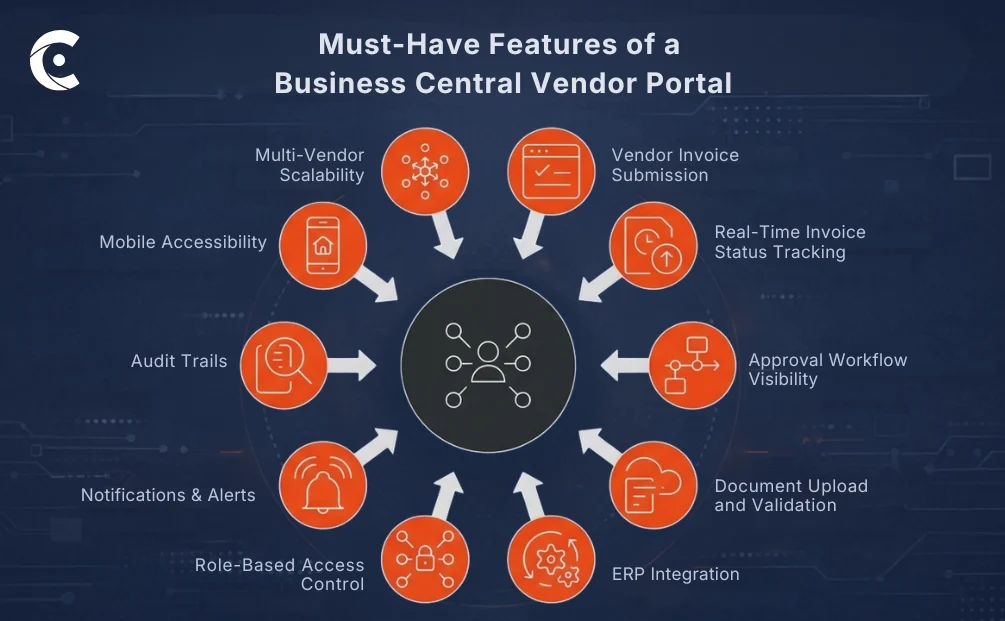
Vendor invoice submission interface — Vendors submit through a structured form, not an email attachment. Defined fields ensure the data arrives in a usable format every time, eliminating most of the validation delay that occurs before an invoice even reaches the approval stage. Less cleanup work on your end before anything can move forward.
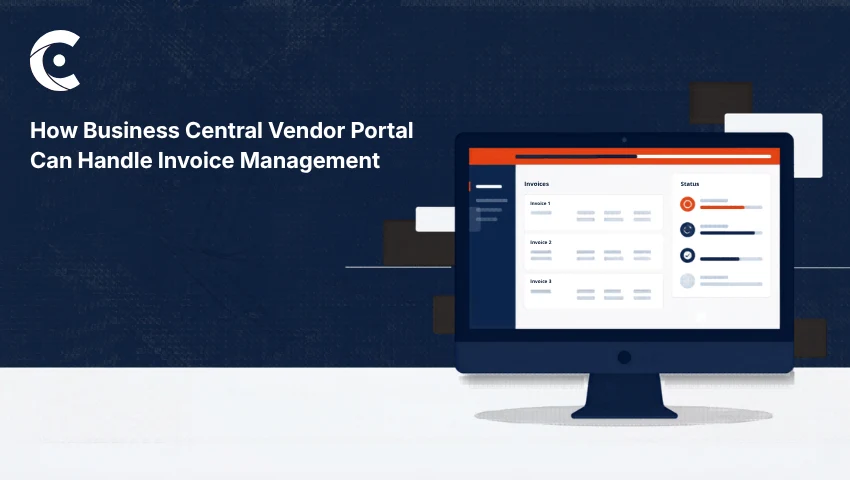
Real-time invoice status tracking — Vendors check their invoice status in the portal. They don’t call. They don’t email. Status updates pull directly from Business Central, so what they’re seeing is accurate — not a spreadsheet someone last updated on Tuesday. This one feature alone tends to clear out a significant portion of inbound vendor inquiries.
Approval workflow visibility — Everyone involved can see the invoice status in the approval chain at any given time. Not a vague “under review” status but actual stage visibility. When vendors know where things stand, the follow-up messages drop considerably.
Document upload and validation — Purchase orders, delivery notes, contracts — vendors attach supporting documents when they submit, not days later when someone asks for them. The portal validates against existing ERP records before the invoice moves forward, so errors surface early rather than being caught midway through an approval cycle.
ERP integration with real-time sync — Invoice data doesn’t live in the portal. It lives in Business Central. The portal surfaces it. That distinction matters because it means no duplicate records, no nightly data imports, and no reconciliation step that creates a window for things to fall out of sync.
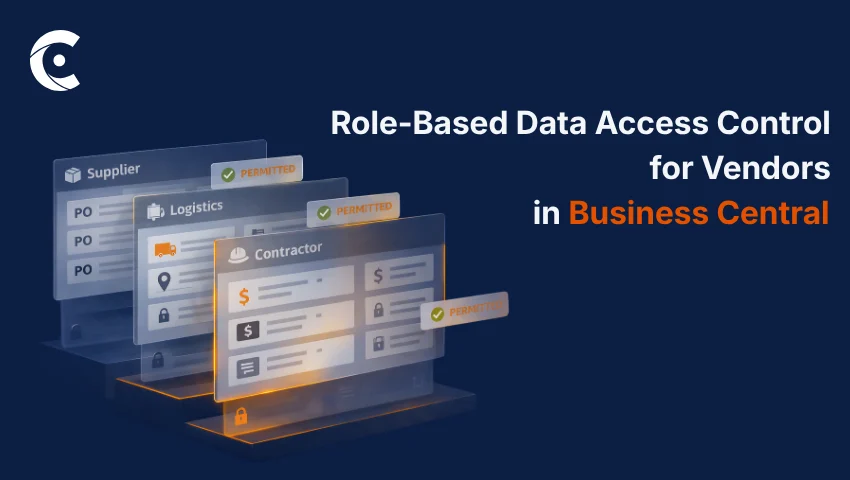
Role-based access control — Vendor A sees Vendor A’s invoices. Vendor B sees Vendor B’s. Internal teams can be segmented by department or role. Nobody gets access beyond what they need, and that boundary holds without requiring manual management every time something changes.
Notifications and alerts — Automated alerts go out when an invoice is received, approved, rejected, or paid. Both sides stay informed without either side having to remember to follow up. The process runs on its own momentum.
Audit trails and compliance tracking — Every action on every invoice gets logged automatically. When an audit question comes up later, the record is already there. You’re not reconstructing a timeline from email threads.
Mobile accessibility — Vendors working across multiple sites or in the field aren’t always at a desk. Submissions and status checks work on any device, removing a practical friction point that often goes unaddressed until someone complains about it.
Multi-vendor scalability — Adding vendors to the system doesn’t require rebuilding anything. Whether you’re managing twenty vendors or two hundred, the architecture holds without additional configuration overhead every time someone new comes on board.
How CRMJetty’s Business Central Portal Handles This Specifically
CRMJetty’s Dynamics 365 Business Central vendor portal connects to Business Central through a direct API. Invoice data stays in your ERP, as the portal doesn’t store a copy of it separately. What vendors see when they log in is live data from Business Central, not a cached version.
Your finance team’s workflow shifts from manual data entry to getting actual work done. They no longer have to navigate through emails, phone calls, and messages to get the data they seek. When a vendor submits an invoice through the portal, it enters the internal workflow immediately. Similarly, changes in approval status are reflected on the vendor’s side immediately.
You can implement the vendor-facing invoice submission pages, document upload interfaces, and status dashboards through a drag-and-drop builder — no developer involvement needed for setup or for making changes later. Workflow adjustments don’t require a development sprint. If your invoice process changes, the portal configuration keeps up.
What Changes Operationally
Processing moves faster because structured submission and direct ERP sync remove the stages where things typically stall. Errors are caught earlier because validation happens at the point of entry. Your team handles fewer inbound vendor calls. Vendors actually know where their invoices stand, which changes the dynamic of those conversations when they do happen.
Audit readiness improves without any extra effort — the trails are built into the process rather than assembled after the fact. And your system handles vendor network growth with additional workforce hiring.
Where This Configuration Makes the Most Sense
Manufacturing companies with multiple vendors — High invoice volumes and compressed production timelines make manual handling genuinely unworkable past a certain scale. A portal creates the structure that keeps it manageable.
Distributors and wholesalers — Procurement cycles run frequently, and margins don’t leave much room for processing inefficiency. Speed and accuracy matter directly to the bottom line.
Enterprises processing bulk invoices — When the monthly invoice count is in the hundreds, even modest efficiency gains per invoice translate into real cost reduction over time.
Multi-location procurement teams — A centralized Business Central vendor portal ensures consistent submission, validation, and approval across locations. The process doesn’t vary based on where the activity originates.
A Structured Invoice Workflow Starts With the Right Portal
Manual invoice handling works until it doesn’t — and usually the signal that it’s stopped working is a problem that’s already cost you something.
CRMJetty’s Dynamics 365 Business Central vendor portal builds a structured layer on top of your existing ERP, bringing vendors directly into the workflow without opening Business Central itself. Faster processing, cleaner records, less overhead, better vendor visibility. If you’re already on Business Central and the invoice side is where the friction lives, this is worth a closer look.
See how CRMJetty’s Business Central vendor portal redefines invoice management for your organization