








Most businesses have stopped debating whether AI belongs in their tech stack. That ship has sailed. What’s actually being debated now is far more practical: Does it work inside the systems we already use, or does it create more overhead than it solves?
Salesforce built Agentforce with that in mind. It’s not a standalone AI layer you manage separately. It runs inside Salesforce, on your actual CRM data, in the same environment your teams are already working in. No parallel system to maintain. No context switching.
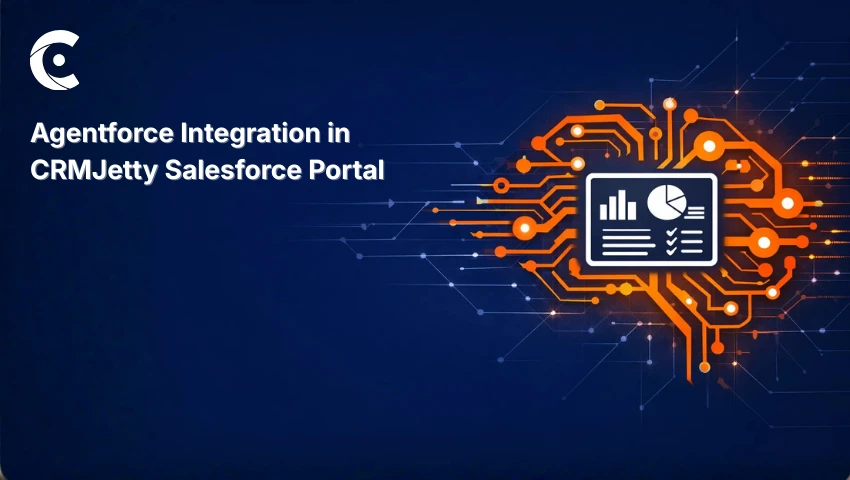
CRMJetty’s latest portal release plugs directly into that. Agentforce can be integrated along with a CRMJetty-powered Salesforce portal. It sits within the widgets and workflows that customers and partners already interact with.
The goal isn’t a portal overhaul; instead, it is to make what’s already there work noticeably harder, without asking businesses to rebuild anything from scratch.
What is Salesforce Agentforce?
Agentforce isn’t the kind of AI that just surfaces information and stops there. These agents take action without human intervention. It answers queries, triggers workflows, pulls case data, and guides users throughout the process, making it ideal for teams handling high-volume portal interactions.
This shifts what productivity looks like for the organizations. With fewer manual touchpoints per interaction, your staff time gets employed in more meaningful tasks.
Agentforce works directly with what’s in your Salesforce CRM — so when a customer asks about their case through a portal widget, the response isn’t templated or vague. It reflects the actual record. That specificity is what makes the experience feel different to the person on the other end.
CRMJetty’s New Agentforce Integration: Overview
The way this integration is built reflects something important: targeted beats sweeping, every time. Admins can enable Agentforce within specific portal widgets and workflows. This structure matters because AI rollouts that try to do everything at once rarely land well.
Start with defined areas, see what works and what doesn’t, make the required changes, and then expand. CRMJetty has built this integration to support that kind of pace, which is more useful than it might sound.
What’s New
Agentforce setup inside the portal. Admins can now connect Agentforce to specific widgets and portal components through settings — no separate configuration environment, no handoff between systems. The flexibility here is genuine: you’re configuring around actual operational needs, not working backward from a fixed deployment model.
Role-based access for Agentforce features. Access to AI features is configurable by role. Customer support teams, partner users, and internal staff — each can have a different level of interaction with Agentforce based on how they actually use the portal. You decide who gets access, under what conditions, and the system holds that boundary.
Benefits
Two things stand out once this integration is actually running. The first is how much routine work stops requiring human involvement. And the second is governance, which is just as important as the automation piece.
So, inquiries get handled, while workflows move forward. Users get guided through steps that previously needed manual intervention. None of this is revolutionary on day one — it’s incremental. But the hours stop going toward predictable, repetitive portal interactions and tend to show up in work that actually needs attention.
Because access is role-defined, AI features only reach the users they’re meant for. For organizations where data access is a real compliance concern, this is what makes the whole thing deployable. Efficiency and control don’t have to trade off against each other here. You get both by design.
How This Improves Business Workflows
The most immediate change is speed. Interactions that used to involve multiple back-and-forth steps compress significantly when AI assistance is embedded directly in the process. Users stop waiting for things that didn’t need to take that long. In customer service, this plays out in a way that’s hard to ignore.
The difference between an instant, accurate response through a portal widget and a customer waiting on a ticket resolution isn’t subtle — it’s the kind of gap that affects how customers feel about a product. When AI handles a real share of those interactions automatically, support staff aren’t buried in volume.
Portals run into the same problem in different ways: slow access to resources, information management, and collaborative tools. The commercial cost of that friction is real, even when it’s hard to quantify. Faster access isn’t just an experience improvement. It’s operationally relevant.
And across all of it, with AI, the portal simply becomes easier to use. Contextual responses, guided workflows, and AI assistance that show up where they’re needed — users no longer have to work around the system and can actually work with it.
The Bigger Picture
None of this requires rethinking the Salesforce setup that’s already in place. CRMJetty portals, existing CRM data, and established workflows — the integration builds on what’s there, not in place of it.
For businesses already running on CRMJetty and Salesforce, this is a straightforward next step. The infrastructure is solid. This just gives it more to work with.
When AI is added to a product thoughtfully — with real controls, a targeted deployment model, and no pressure to implement everything at once — it doesn’t disrupt what’s working. It extends it.
Want to experience CRMJetty’s advanced functionalities along with Agentforce’s extensive capabilities, connect with the experts, and see it yourself.