









They say, “time waits for no one,” and in business, that stands especially true. The marketplace moves fast, and the window between an idea and its execution decides who leads and who follows. In the time it takes to raise a dev ticket, a competitor could already be celebrating a new partner program launch.
Many teams face the same roadblocks – long IT queues, slow approvals, and dependency on developers for even the most minor portal update. These hurdles make businesses lose momentum, delay decisions, and frustrate teams eager to deliver value.
That’s where CRMJetty’s No-Code/AI-powered portal solution steps in. Designed to integrate seamlessly with Salesforce or Dynamics 365, it lets teams launch or modify portals in days instead of months. Whether it’s a Dynamics 365 customer portal or a customer self-service portal Dynamics 365, updates become as straightforward as a few clicks.
With AI-powered case deflection for support portals, routine requests get resolved instantly – keeping customers satisfied and freeing IT to focus on strategic work. According to Gartner, only 48% of digital initiatives meet or exceed their business outcome targets.
CRMJetty will ensure your business doesn’t become another statistic by turning agility into a daily practice.
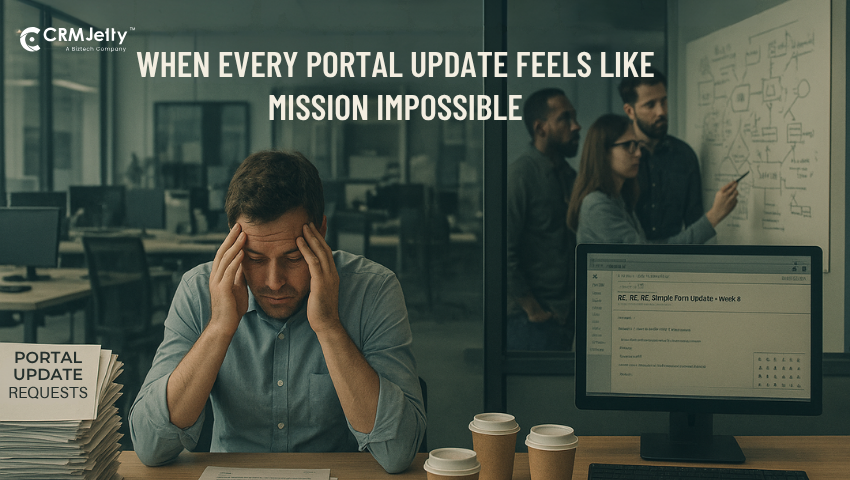
The Problem: IT Dependency is Slowing Everyone Down
What started as a streamlined digital strategy has slowly become an operational chokepoint. Every change, no matter how small, now grinds to a halt behind IT’s overflowing backlog.
Missed Deadlines and Delayed Go-Lives.
Projects move slower than a snail on a coffee break. Every small update must pass through IT, undergo approvals, testing, and then wait for another round of processing. A simple tweak in a Dynamics 365 customer portal somehow turns into a mini software release. Teams set deadlines that look realistic on paper, but reality laughs in their faces.
Marketing plans get pushed back, support teams keep apologizing, and the portal that was “almost ready” last quarter still isn’t live. It’s not that IT teams aren’t working hard—they’re just stuck juggling a dozen priorities at once. Meanwhile, everyone else waits… and waits… and waits.
High Developer Costs for Small Changes.
Ever asked IT to add a new form and then realized it costs as much as a weekend getaway? That’s the reality. Small portal updates shouldn’t need a budget approval meeting. Yet, every tiny change—be it a dashboard filter or a role update—needs a developer, a sprint, and a good amount of coffee.
It’s like paying for a five-star chef just to butter your toast. The cost adds up fast, and before anyone notices, the “quick enhancement” becomes a costly mini-project. A no-code portal solution could easily fix this, but hey, where’s the drama in that, right?
Business Teams Can’t Experiment or Adapt Quickly.
Marketing dreams up a new campaign. Sales wants to test a new workflow. Support needs a new form in the customer self-service portal, Dynamics 365. And guess what—they all need IT to make it happen. Innovation takes a backseat because everyone’s waiting in line for developer bandwidth. Teams lose the spark to experiment, fearing another three-week delay for a one-hour task.
The pace of business becomes painfully slow while competitors sprint ahead with agile, no-code tools. It’s like trying to win a race with your shoelaces tied together.
Support, Sales, and Marketing Depend on It for Everything.
Every department has ideas, but none can move without IT’s blessing. The support team wants AI-powered case deflection for support portals, sales wants new dashboards, and marketing just wants that one button changed to blue. But all roads lead to IT.
The dependency becomes a bottleneck that everyone hates, but no one escapes. IT becomes the overworked gatekeeper while other teams turn into passive spectators. The result? Endless ticket backlogs, frustrated employees, and customers wondering why the “self-service” part of the portal feels more like “self-wait.”
End-Users See Outdated or Broken Experiences.
While the internal chaos persists, customers are the ones who suffer. They log into portals that resemble those designed when flip phones were still a thing. Pages load slowly, data doesn’t update, and broken links make them wonder if they should send a carrier pigeon instead.
A Dynamics 365 customer portal should make life easier, not test patience levels. But when updates depend on IT availability, customer experience becomes collateral damage. Users don’t care about internal bottlenecks—they just want something that works. Sadly, what they get is a “coming soon” banner that has been up for months.
Tired of watching your budget disappear into IT requests that should take minutes, not months? It’s time to discover how much you can save when business teams manage their own portal updates.
Use Cases That Empower Business Teams
From support to sales, every department has untapped potential waiting to be unleashed—if only they had the tools to act without waiting on IT. Here’s how business teams can take control, move faster, and deliver real impact with CRMJetty’s no-code portal solutions.
1. Case Deflection (AI-Powered Self-Service)
Support agents answer “How do I reset my password?” for the thousandth time while customers wait in DMV-length queues. Your team needs IT’s blessing to change even a comma in the self-service flow.
CRMJetty’s AI-powered case deflection engine for Dynamics 365 customer self-service portals instantly surfaces relevant articles before customers finish typing. Business users configure forms and update FAQs without code. The system learns from behavior, getting smarter with each interaction.
Support ticket volume drops dramatically. Your team tackles complex cases that need human intelligence. Customer satisfaction climbs because nobody likes waiting when answers exist.
How quickly can we realistically implement AI-powered case deflection without disrupting current operations? Most business leaders worry about lengthy deployments, but organizations typically see their first automated responses within 72 hours of setup. Unlike traditional Dynamics 365 customer self-service portal implementations that require months of development, the no-code approach delivers immediate results.
The AI learns from your existing knowledge base immediately, requiring zero training period. Your support team continues normal operations while the system gradually takes over repetitive inquiries, with full deployment complete in under two weeks.
2. Hierarchical Data + Role-Based Access
Partners’ email at 2 AM for reports IT won’t generate until Tuesday. Clients can’t see project status unless they schedule calls. Different departments see data they shouldn’t, while missing data they need.
Dynamic widgets pull live CRM data, filtering noise for each stakeholder. Global filters show managers exactly what matters to their region. Role-based access ensures the intern doesn’t see the master plan. Everything updates in real time — complete with interactive KPIs and drill-down charts for deeper insights without IT.
Stakeholders get instant data without pestering anyone. IT requests drop 70% because people self-serve. Your data becomes a strategic asset instead of a bottleneck.
3. Secure Document Sharing & Collaboration
Sensitive contracts float through emails like confetti at a parade. Permission management requires IT intervention constantly. You can’t track who viewed what or when.
Activity logs precisely track every document interaction. Permission toggles work, letting admins control access without IT. Files attach directly to forms and records in one secure place, with full traceability and compliance-ready audit trails.
Compliance becomes automatic. Data breach risks plummet. IT stops playing the role of document referee and returns to actual IT work.

4. Managing Multiple Business Units or Regions (Sites)
Each unit demands its own portal. Managing five portals means five times the headaches. Brand consistency disappears when each looks different.
Multisite support manages all branded portals from one center. Each gets its own domain and look while you maintain unified management. Regional managers make changes without IT wizards, and import/export tools streamline environment migration and configuration replication.
New market entry happens in days, not months. IT resources stretch further. Costs drop dramatically without redundant infrastructure.
5. Automated Communications & Workflows
Setting up automated emails requires developers and meetings. Follow-ups never happen. Your team spends more time sending notifications than working.
Workflow configuration is handled directly by portal admins, powered by AI automation. Customizable variables personalize messages automatically.
The system manages routine communications — sending notifications to multiple linked contacts and creators without code — while your team handles the human stuff.
Response times drop from days to seconds. Personalized messages require no manual effort. Your team recovers hours for work that requires actual thinking.
Ready to give your team back the hours they’re losing to manual communications? Discover how automated workflows can transform your operations in just days.
How This Changes the Game?
Empowering business teams with true autonomy doesn’t just remove friction—it completely rewrites the playbook for speed, agility, and customer experience. Here’s what happens when IT dependency becomes a thing of the past.
Faster go-to-market:
With a no-code portal solution, your team can spin up a fully functional Dynamics 365 customer self-service portal faster than agreeing on lunch spots. Business teams control their destiny without coding or sacrificing to IT gods.
What happens when competitors move this fast while we’re still in planning meetings? The market reality is brutal—companies using no-code portals launch new partner programs in days while traditional approaches take months.
Your sales team can test and iterate on portal experiences weekly, capturing opportunities that disappear while competitors debate specifications. The speed advantage compounds over time, turning early adopters into market leaders.
Business-led updates:
Marketing changes forms, sales needs workflows, service demands, and AI-powered case deflection for support portals? Make those changes yourself. No more tickets disappearing into the void. IT focuses on real IT problems rather than playing portal babysitter.
Always live:
Real-time CRM sync means instant updates everywhere — across both Salesforce and Dynamics 365 environments. No more embarrassing conversations about the details customers just provided. Every team sees the same truth simultaneously.
Secure and compliant:
OAuth handles authentication properly. Role-based access prevents accidental database deletion. Every click gets logged for pristine audit trails. Your data stays locked down tight.
Scalable:
One platform handles your leading brand, subsidiaries, partner networks, and global offices. The same infrastructure scales from pilot to enterprise without breaking budgets.
Industry-Wide IT Dependency Problems (and How CRMJetty Portal Helps)
No matter the industry, one theme repeats itself—every team depends too heavily on IT to make simple business-driven changes. From nonprofits to manufacturing giants, CRMJetty’s no-code portal solution puts control back where it belongs: in the hands of the people who actually run the business.
1. Nonprofit: The Developer Desert Dilemma
Nonprofits run on shoestring budgets that wouldn’t cover a developer’s latte. CRMJetty’s no-code solution lets anyone create a Dynamics 365 customer portal in under a week, freeing volunteers from manual data entry.
2. Education: The Semester Scramble Syndrome
Schools need portal updates every 47 seconds during enrollment. CRMJetty lets administrative staff handle updates themselves without bribing IT with donuts. The system adapts faster than students do when they drop calculus.
3. Healthcare & Insurance: The Compliance Circus
Healthcare portals need Fort Knox security. CRMJetty delivers role-based permissions so tight that hackers need written permission to access. Activity tracking creates audit trails cleaner than operating rooms.
4. Manufacturing: The Regional Portal Puzzle
Manufacturing companies juggle vendor portals across regions. CRMJetty’s multisite support creates regional portals from one hub. Vendors get specific visibility without seeing competitor pricing.
5. eal Estate: The Data Display Dance
Real estate serves buyers, sellers, and agents with different needs. Role-based access ensures each sees only their slice without revealing desperation levels. Data views switch instantly.
6. IT Services: The Multi-Client Madness
IT companies managing multiple client portals are like octopi typing on eight keyboards. CRMJetty’s multi-tenant architecture makes scaling easier than explaining why rebooting works.
But what if our industry isn’t listed here—does that mean the solution won’t work for us? Executives in specialized sectors often worry about unique requirements, but the platform’s flexibility handles everything from fintech compliance to government security standards.
The same no-code tools that power healthcare and manufacturing portals seamlessly adapt to logistics, retail, finance, and professional services. Industry templates accelerate deployment, but the core capability remains universal — a single platform that eliminates IT dependency across sectors.
Why Not Just Use Experience Cloud or Power Pages?
Experience Cloud hits budgets hard while demanding developer armies. Power Pages requires technical gymnastics to bind to CRM data. CRMJetty Portal delivers genuine no-code capabilities, transparent pricing, and deep CRM integration that actually works.
While big players complicate things with premium pricing for unused features, CRMJetty focuses on getting your Dynamics 365 customer portal up and running without the usual circus.
What about migration complexity if we’re already invested in another platform? C-suite executives fear lengthy, disruptive migrations, but most organizations complete the switch in 30-45 days without downtime.
Your existing data maps directly, workflows transfer intact, and users barely notice the backend change. The migration cost typically pays for itself within six months through reduced maintenance and faster deployment cycles.
Business Impact & ROI
Portal deployment shrinks from six months to two weeks. IT tickets drop 80% for minor changes. The no-code portal solution transforms IT bottlenecks into business wins — reducing costs by up to 60–80% and freeing developers for strategic innovation. Business teams can now manage their Dynamics 365 customer self-service portal directly, eliminating the traditional barriers between user needs and portal capabilities.
Organizations that monitor these three KPIs achieve 25% higher adoption rates by quickly identifying and resolving friction points.
Are there hidden costs that surface aftedr implementation? Financial leaders rightfully scrutinize the total cost of ownership, but the transparent pricing model eliminates surprise expenses.
Training costs stay minimal since business users already understand their processes—they just need the tools. No consultant armies, no endless customization fees, no premium support tiers. The initial investment covers everything, with predictable scaling costs based solely on user growth.
Customer satisfaction soars with a customer self-service portal that updates faster than social media. Your budget relaxes as IT resources tackle projects that matter instead of playing whack-a-mole with portal requests.
Closing Lines
The days of treating IT like a Magic 8-Ball for portal updates are over. Your Dynamics 365 customer portal no longer needs developers held hostage to consultant rates for dropdown changes.
CRMJetty’s no-code portal solution transforms business teams into portal powerhouses — scaling effortlessly across brands, partners, and regions, and deploying AI-powered case deflection for support portals before lunch.
Support tickets drop while your customer self-service portal actually serves customers, not just causes frustration. IT works on real problems instead of button-babysitting, and your budget stops hemorrhaging for intern-level tasks.
Watch competitors stuck in requirements meetings while you’re three updates ahead. When business agility stops being a buzzword and starts being Tuesday afternoon, you’ve broken free from the IT bottleneck strangling operations since digital transformation began.
Ready to turn your IT bottleneck into a competitive advantage? Let’s show you how to deploy your first no-code portal before your competitors finish their next planning meeting.
All product and company names are trademarks™, registered® or copyright© trademarks of their respective holders. Use of them does not imply any affiliation with or endorsement by them.