



Customer and partner portals have become the go-to for businesses working with outside users. Whether you're handling support tickets, swapping files, or keeping deals moving, portals help keep everything in one spot and the back-and-forth organized.
Here's the thing, though—people don't always use portals from their desks.
Sales reps are constantly traveling. Techs are out fixing things at customer locations. Partners and consultants bounce around all day. When you're in those situations, cracking open a laptop to log in feels like a hassle.
That's where the CRMJetty Mobile App comes in.
Native Mobile Extension for Your Existing CRMJetty Portal
This mobile app isn't replacing your portal. It only works if you're already running CRMJetty customer or partner portals on Salesforce or Microsoft Dynamics 365—your web portal still plays the key role.
What this does is let your authorized portal users get in from their phones.
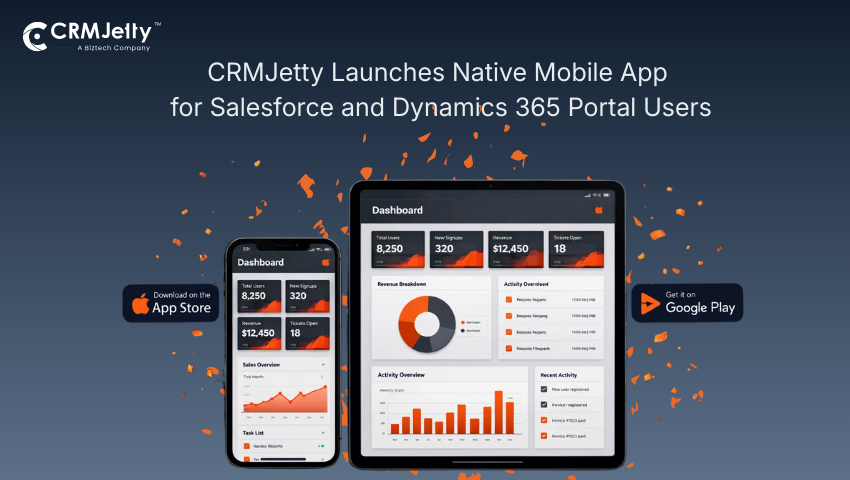
After they log in, they see the duplicate content as in the web version. They can check cases, update info, toss up files, and keep tabs on tasks without having to hunt for a computer.
Native Apps Built for Salesforce and Dynamics 365 Portal Users
The mobile app for Android or iOS are available on Play store and App Store respectively. The screens are set up for phones, so scrolling through records, filling out forms, and knocking out quick tasks feels natural when you're pressed for time.
Handling documents works smoothly, too. Snap a photo, upload something, or pull up files already linked to portal records. Really handy for folks working out in the field or stopping by client sites.
Enterprise Security and Role-Based Access on Mobile
Access works exactly as it does on the web portal, so your team views data based on their roles and responsibilities. Everything that flows between the app and your CRM is encrypted, and private data stays locked down to logged-in users only.
This matters a lot for companies dealing with strict security rules or compliance stuff.
White-Label Your CRMJetty Mobile App Under Your Brand
Companies can slap their own branding all over the mobile app—name, logo, colors, the whole package. Then push it out on the App Store and Google Play Store under their own brand.
CRMJetty helps walk you through getting it ready and published. That's handled separately from your web portal setup.
Which Portal Users Benefit Most from Mobile Access?
This app really shines when portal users need to jump in quickly while they're out and about. Sales teams updating their pipelines, techs working through service cases, partners checking on opportunities, customers dropping off documents or submitting requests.
Bottom line in every case: keep things moving and cut down on waiting around, even when nobody's near an office.
Mobile Access as a Natural Extension of Your CRMJetty Portal
If you're already running CRMJetty portals, grabbing the mobile app makes sense. It doesn't mess with how your portal operates. Just gives people more ways to get in.
With more work happening away from desks these days, having mobile access to portal data helps teams jump on things faster and stay plugged in without making everything more complicated.
Ready to take your CRMJetty portal mobile and keep your users connected anywhere, anytime?
All product and company names are trademarks™, registered® or copyright© trademarks of their respective holders. Use of them does not imply any affiliation with or endorsement by them.